FREE Advanced Intellisense in SQL Server Management Studio
SQL Complete: smart autocomplete for SQL Server developers & DBAs
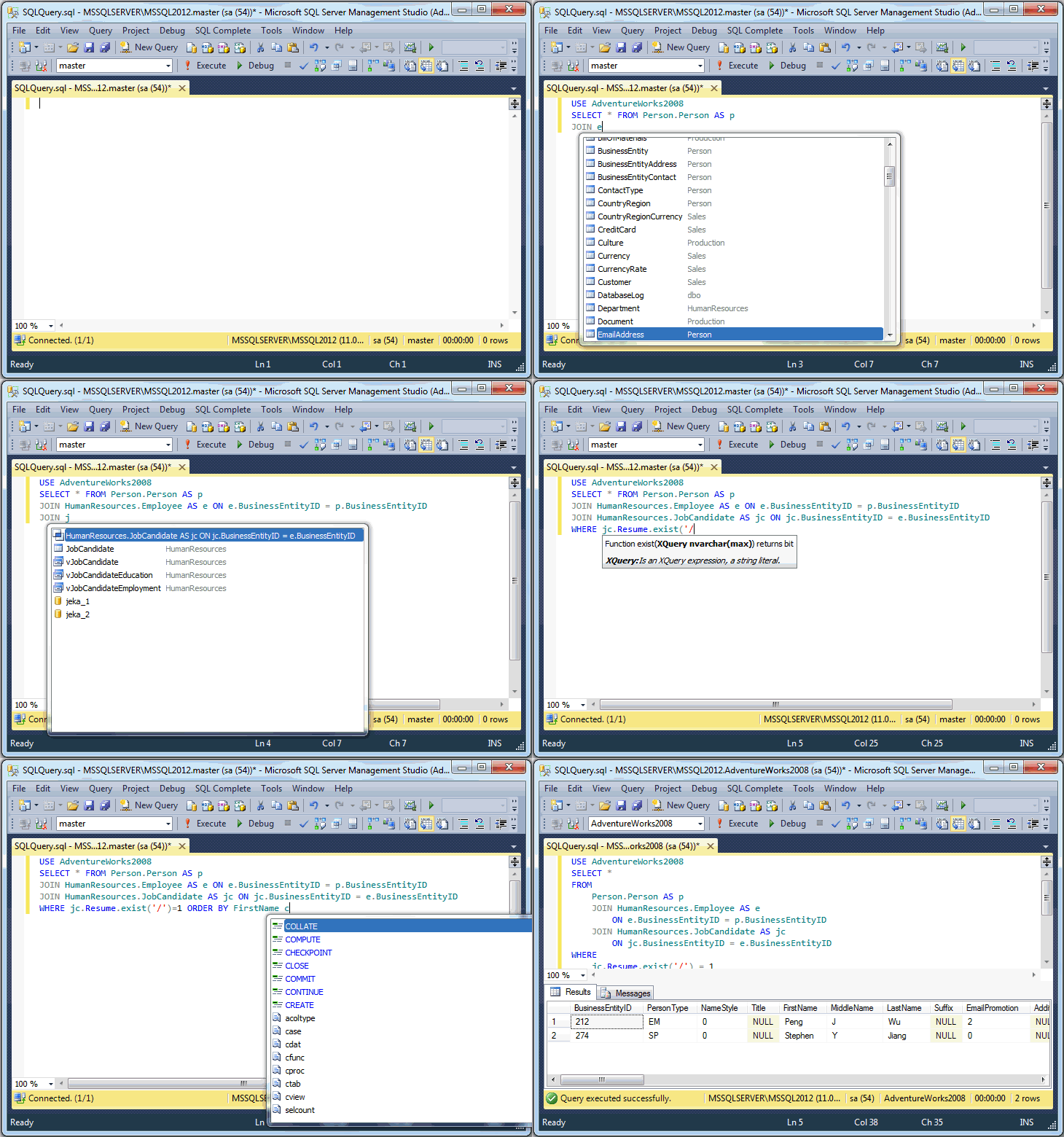
dbForge SQL Complete is a useful add-in for SQL Server Management Studio 2005 and 2008 that offers powerful autocompletion and formatting of T-SQL code.
Besides extending List Members, Complete Word and Parameter Info features, SQL Complete adds SQL Formatter to enrich the developer toolkit and provide the fastest T-SQL query typing ever possible.
Key Features

SQL Complete thoroughly defines the context to predict what you want to type next. Smart intellisense prompts only relative keywords and names of database objects. Just type several symbols and see the required word in the suggestion list. It takes only to press Enter and go on with your query.

When you type names of user-defined and built-in functions and procedures, dbForge SQL Complete will display their parameter information in a hint. Get the necessary information promptly without browsing external documentation.

Produce clear and well-formatted code without worrying about all those indents, whitespaces, wrappings, line breaks, etc. Just keep typing your SQL and see it automatically transformed based on your preferences and formatting rules. With a wide selection of formatting options you can set any formatting style you need.
SQL Complete – free SQL Completion tool
Besides the extended Standard version, SQL Complete has a free version with free intellisense and basic SQL formatting functionality to speed up writing SQL statements.
SQL Complete vs Microsoft native IntelliSense®?
SQL Complete provides intellisense for SQL Server 2000, 2005, 2008, regardless of SSMS versions. Native intellisense does not work with those SQL Server versions that differ from your SMSS version. For example, SQL Server Management Studio 2008 will work only with SQL Server 2008.
If you are still asking a reasonable question "Why should I need a third-party tool besides the standard intellisense functionality?", look at the feature comparison matrix.
I'm using now all your products for SQL Server. Congratulations; The DevArt tools are simply the best and fastest ever seen, I also love the simple style of these applications!
So far the tool has been great. Thank you for sharing this with the community!


0 Comments:
Post a Comment